How to Set Only Print One Item Per Checker (Table/Kitchen)
- In Backend(admin page), go to Setting > Print Checker Setting
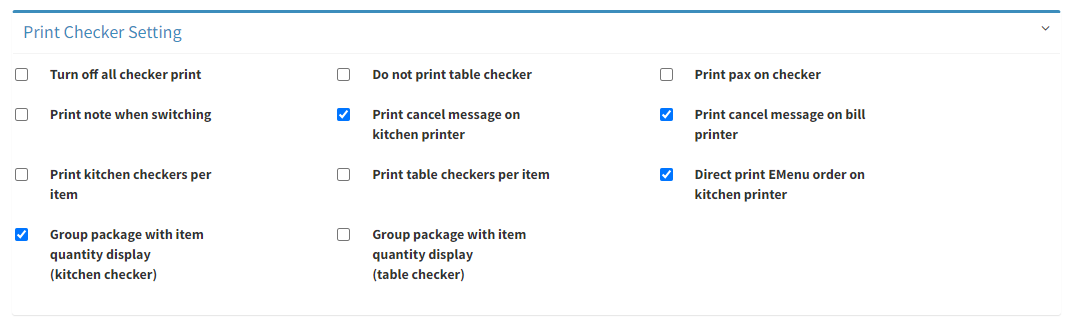
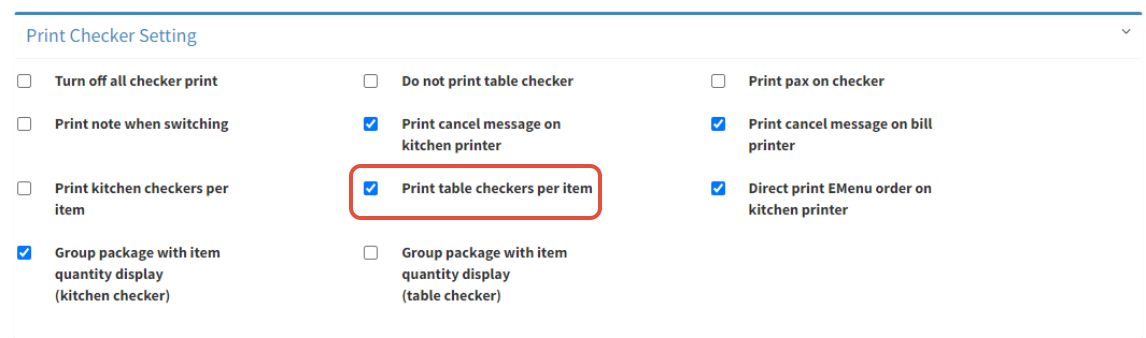
- To set only print one item per checker for Table, tick on Print table checkers per item
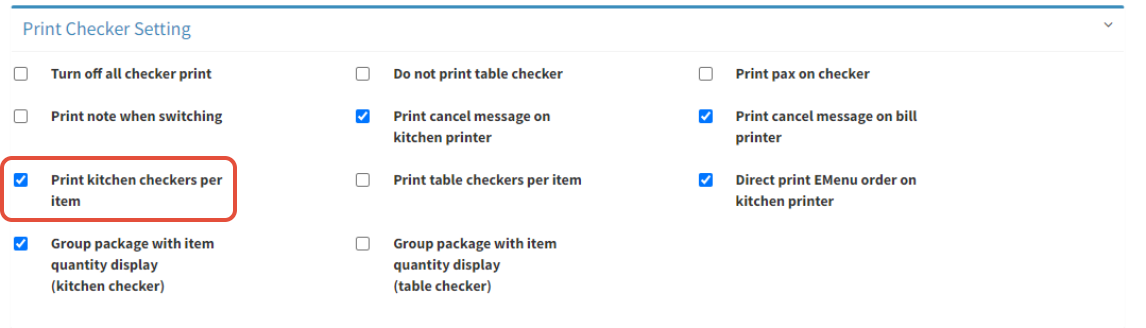
- To set only print one item per checker for Kitchen, tick on Print kitchen checkers per item
- Tick on both if you want to print one item per checker for both kitchen and table
- Click on
 to save
------------------------------------------------------------------------------------------------------------------------
Please refer to video below for more information:
