How to Enable Direct Print E-Menu QR Order on Kitchen Printer
- First you need to add in the printer for kitchen printing (please refer to (Owner) Topic 1: Get Started - How to Add Printer(Bluetooth & LAN))
- In Backend(Admin page), go to Setting > Print Checker Setting
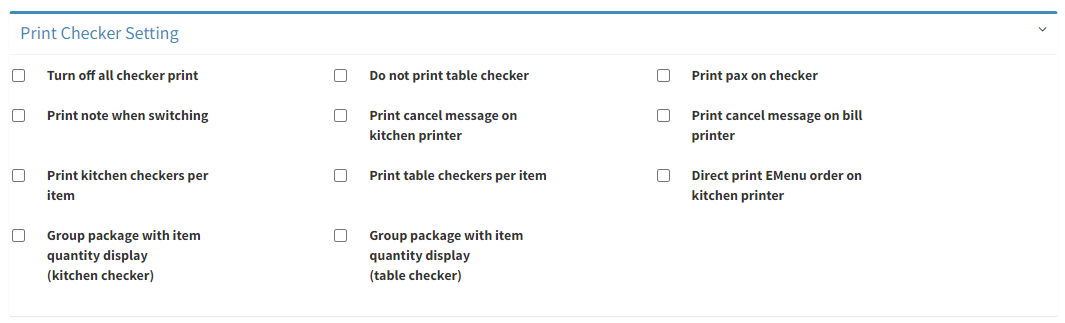
- Tick on Direct print EMenu order on kitchen printer
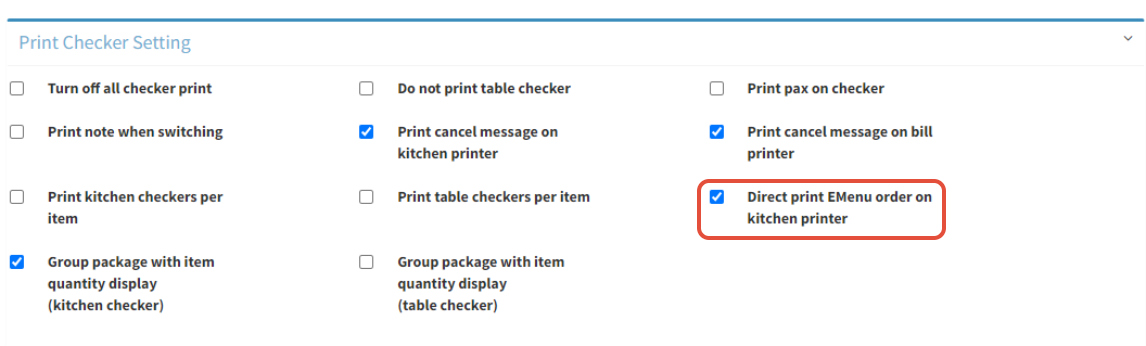
- Click on
 to save
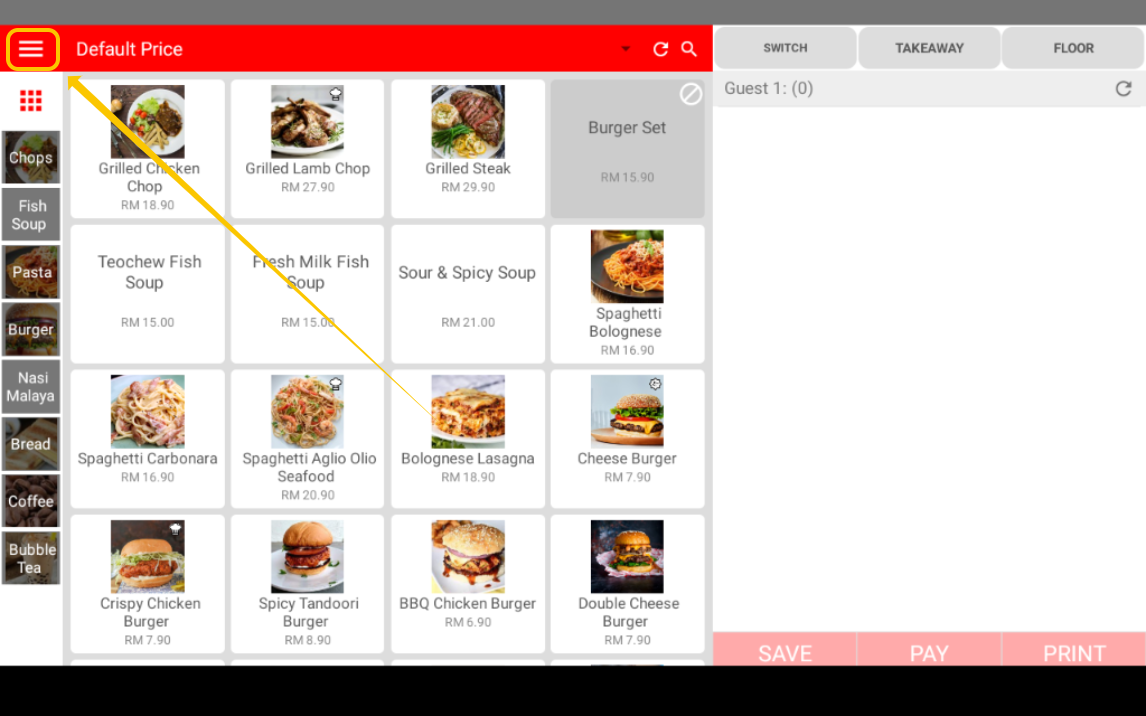
- Open your Cashier App, click on ≡ to open the side bar menu
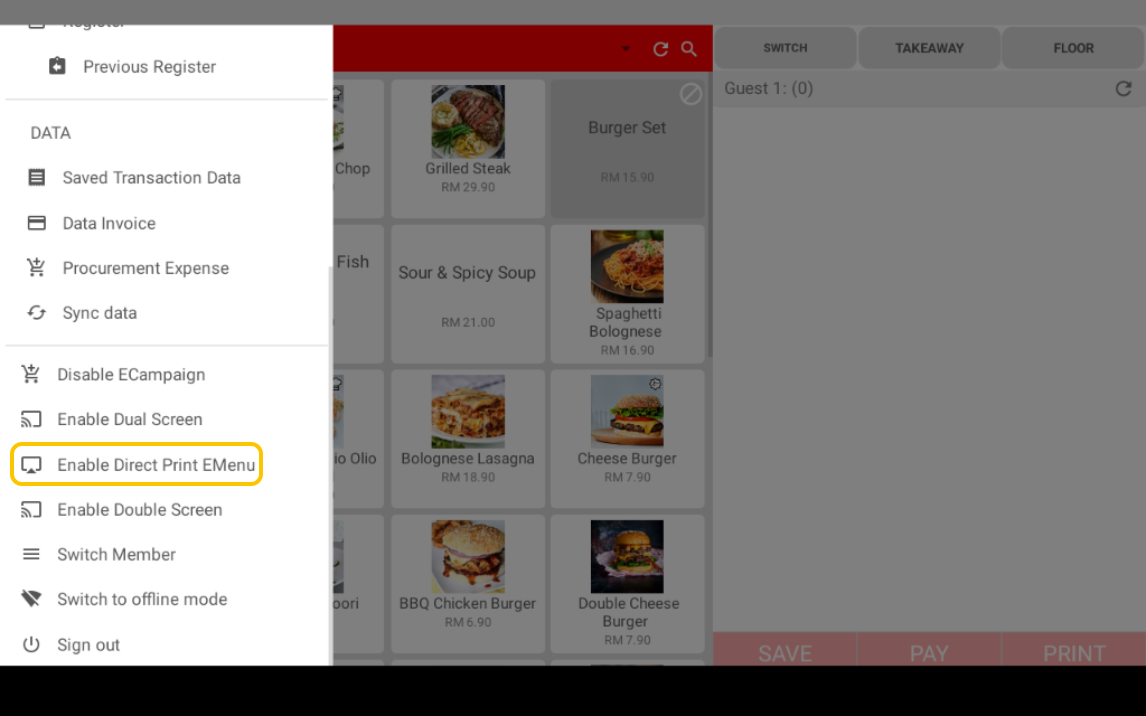
- Click on Enable Direct Print EMenu
- Now you can try by sending order via QR code order
--------------------------------------------------------------------------------------------------------------------------
Please refer to video below for more information:
