How to Enable Dual Screen(In Backend & Frontend)
*Recommended device for using dual screen: IMIN D4-504 Dual Screen
In Backend Portal:
- Go to Setting, scroll down to Dual Screen Setting
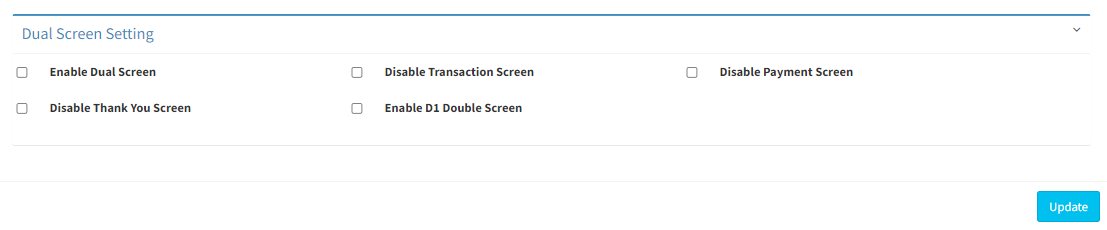
- Tick on Enable Dual Screen
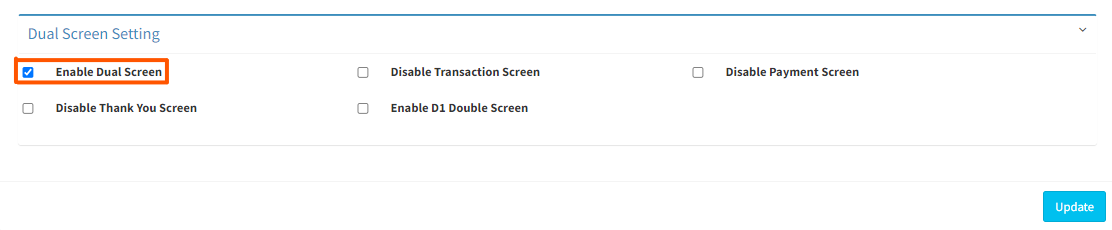
- Click on
 to update the change
In Cashier App (Frontend):
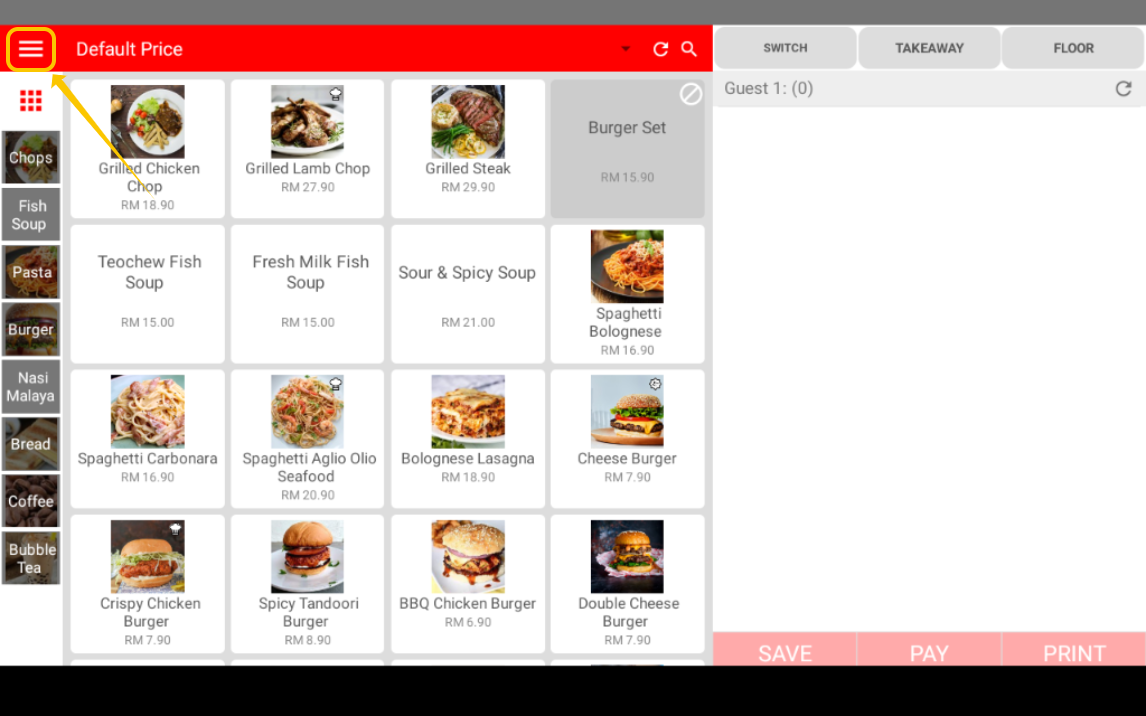
- In cashier app, click on ≡ symbol to open the side bar menu
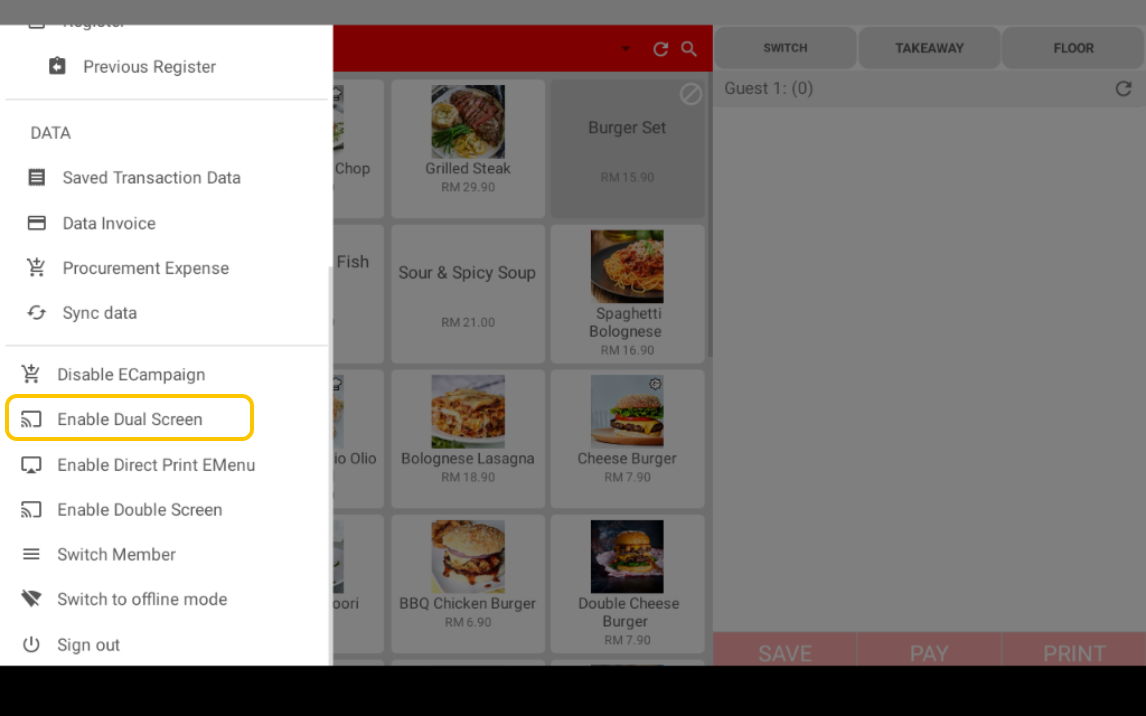
- Click on Enable Dual Screen to activate the dual screen
-------------------------------------------------------------------------------------------------------------
Please refer to video below for more information:
