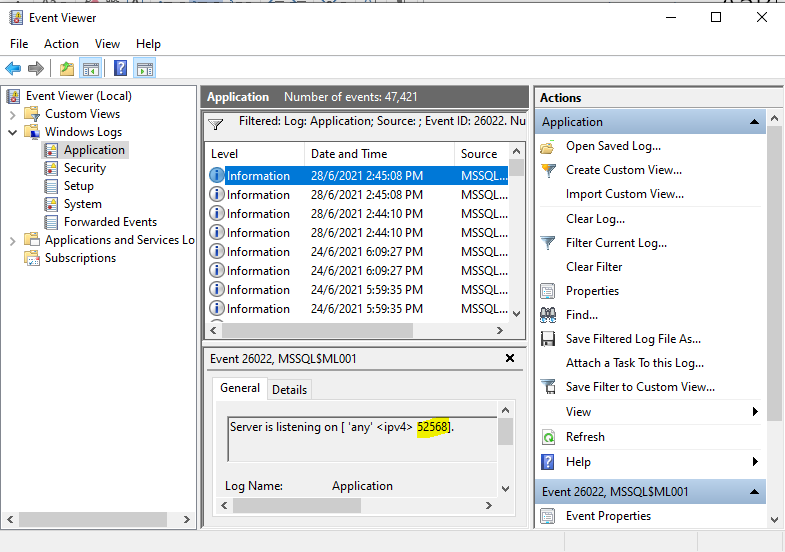
How to Check SQL Port
Method 1:
- Identify the PC SQL Server ML001 port number
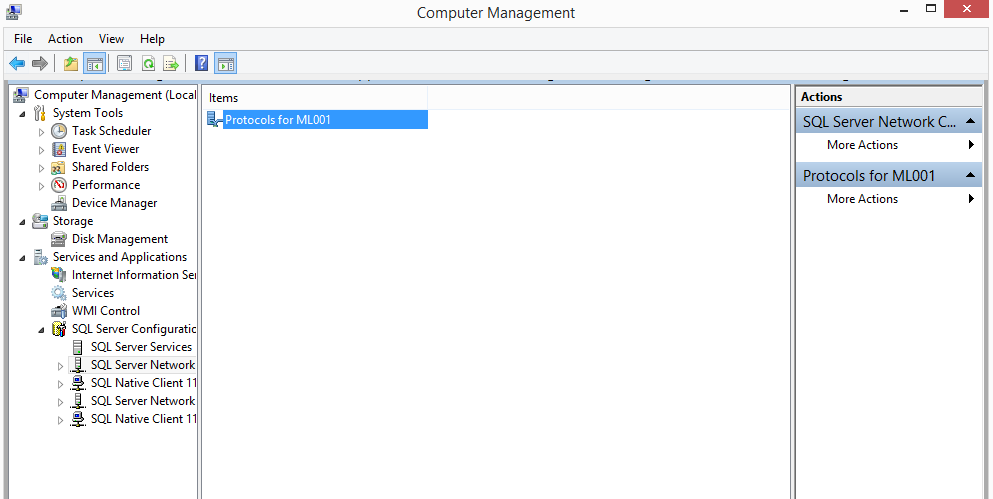
- Go to Computer Management & Select Services and Application
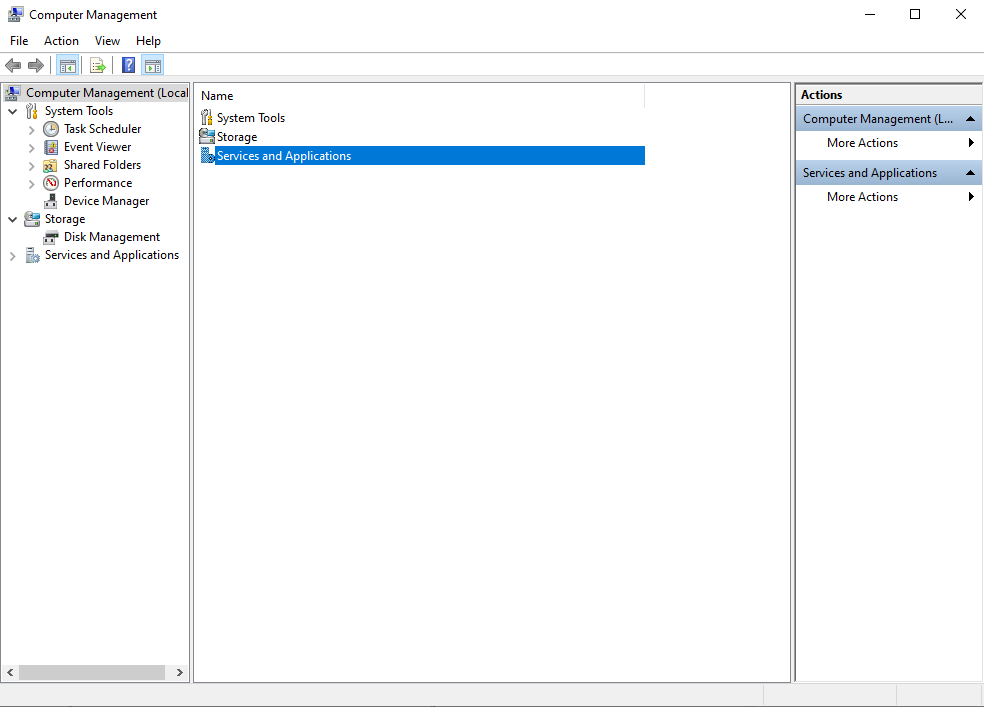
- Select SQL Server Configuration Manager
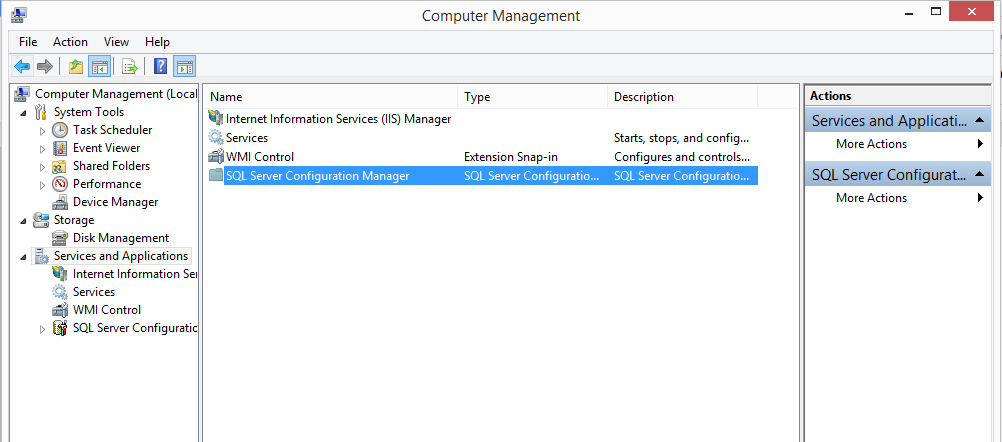
- Select SQL Server Network Configuration
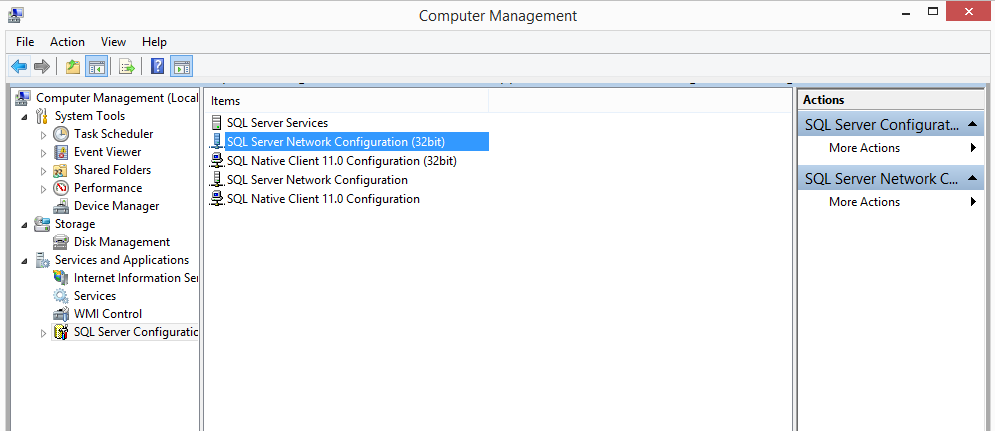
- Select Protocols for ML001
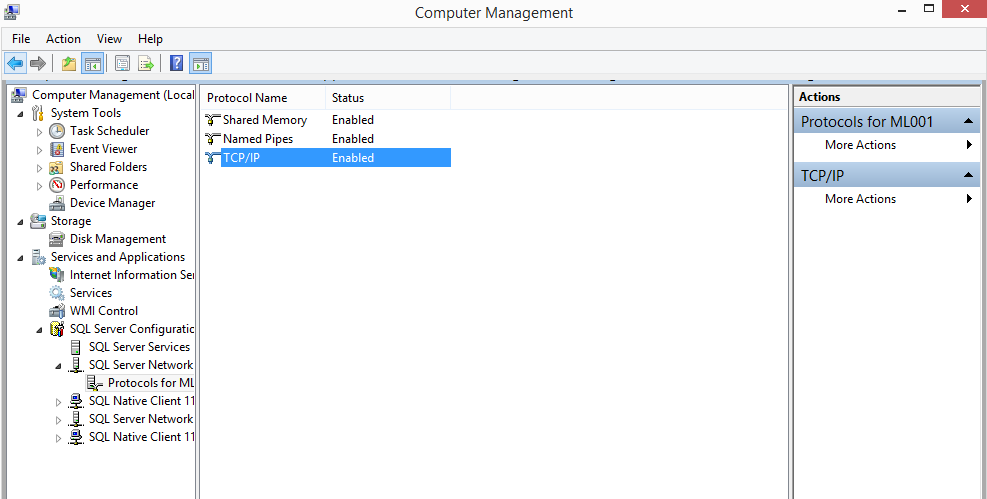
- Select TCP/IP
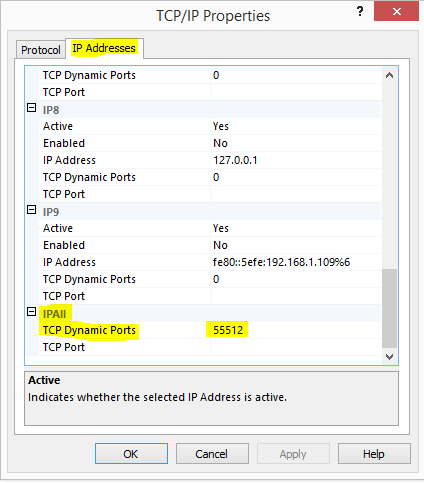
- Select IP Addresses & refer to TCP Dynamic Ports (This is the SQL ML001 Port)
Method 2:
Go to This PC > Local C Drive > Windows > SysWOW64 > Search for SQL Server Manager > Then repeat the steps from Method 1
Method 3: Get SQL Server Port from using the Windows Event Viewer
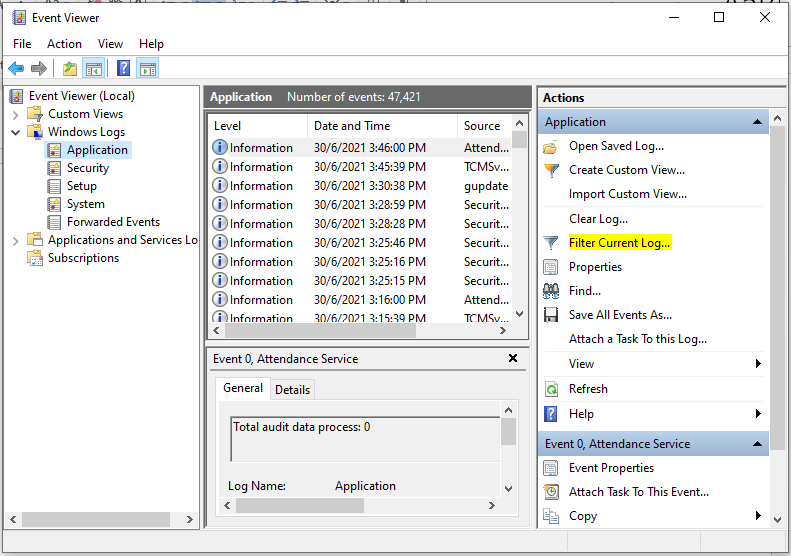
1. Go to Run and type eventvwr. It opens the windows event viewer console. Click on – Filter Current Log.
2. Specify the event ID 26022 and click OK
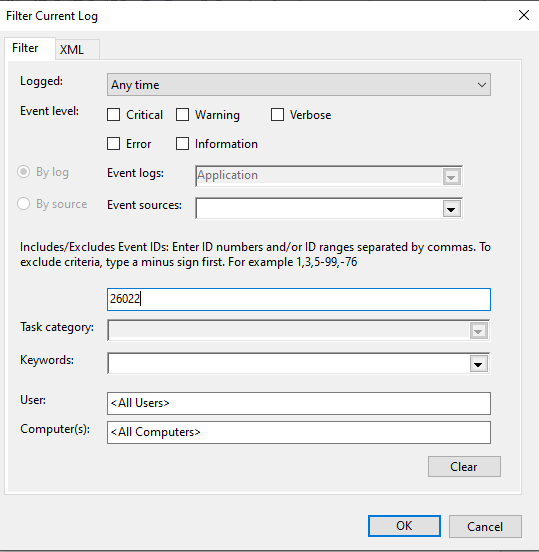
3. Then you can see the SQL Port Number